Apple Watch HRV and readiness, explained
Your watch measures three things overnight that matter to training: heart rate variability, resting heart rate and sleep. Here is what each one means, where to find it, and how to use it. Short version: compare yourself with yourself, then go and train.
What HRV is
Your heart does not beat like a metronome. The gap between beats stretches and shrinks, and heart rate variability measures how much. Apple Health records HRV as SDNN: the standard deviation of the intervals between normal heartbeats, in milliseconds, with samples recorded automatically on Apple Watch (Apple Developer). Apple notes that HRV is sampled while you are still, so the number of readings varies with how active you are (Apple Support).
The number on its own means little. HRV values depend on how long the recording is, when it is taken, age and sex, and norms from one method do not transfer to another (Shaffer and Ginsberg, 2017). Research on elite athletes makes the same point from the other side: each athlete has their own HRV fingerprint, and you only learn it by tracking it over time (Plews et al., 2013). A reading of 45 ms can be a strong night for one lifter and a flat one for another. What matters is where tonight sits against your normal.
Resting heart rate and sleep
Resting heart rate is your heart rate at rest. Like HRV, it is most useful as a trend against your own range. The watch shows it in the Heart Rate app alongside your range and walking average (Apple Support).
Sleep is the input you control most directly. Wear the watch to bed and the Sleep app records time asleep and sleep stages (Awake, REM, Core and Deep) for the last 14 days (Apple Support).
How to find HRV on Apple Watch and iPhone
On iPhone
- 1Open the Health app.
- 2Tap Browse, then Heart.
- 3Tap Heart Rate Variability. Resting Heart Rate is in the same list.
On Apple Watch Series 12 or Ultra 4
- 1Open the Heart Rate app.
- 2Turn the Digital Crown to Recovery HRV.
Overnight, in Vitals
The Vitals app shows overnight heart rate, respiratory rate, blood oxygen, wrist temperature and sleep duration against your typical range. On Series 12 and Ultra 4, HRV replaces sleep duration. It takes seven nights of wearing the watch to bed to set your typical range. On iPhone: Health, Browse, Vitals (Apple Support). Wrist temperature needs Series 8 or later, or an Ultra.
Apple's Readiness app
On Apple Watch Series 12 and Ultra 4, Apple's Readiness app combines recent activity and training load, overnight vitals including HRV, and sleep score into a score from 0 to 10 (Apple Support). Other models do not get the score, but every watch that records HRV, resting heart rate and sleep gives PRE SZN what it needs.
How PRE SZN reads it
PRE SZN reads your HRV, resting heart rate and sleep overnight and puts each against your own normal. The HRV view shows every night against your recent average, how much your HRV is moving night to night compared with how much it usually moves, and your heavy sessions marked on the same timeline, so you can see how your body answers your training.
The morning brief turns it into a daily read of how you are adapting. Then you train, and every hard set is scored against your own four-week average. A down night does not move the line. Beat it anyway.
Download on the App Store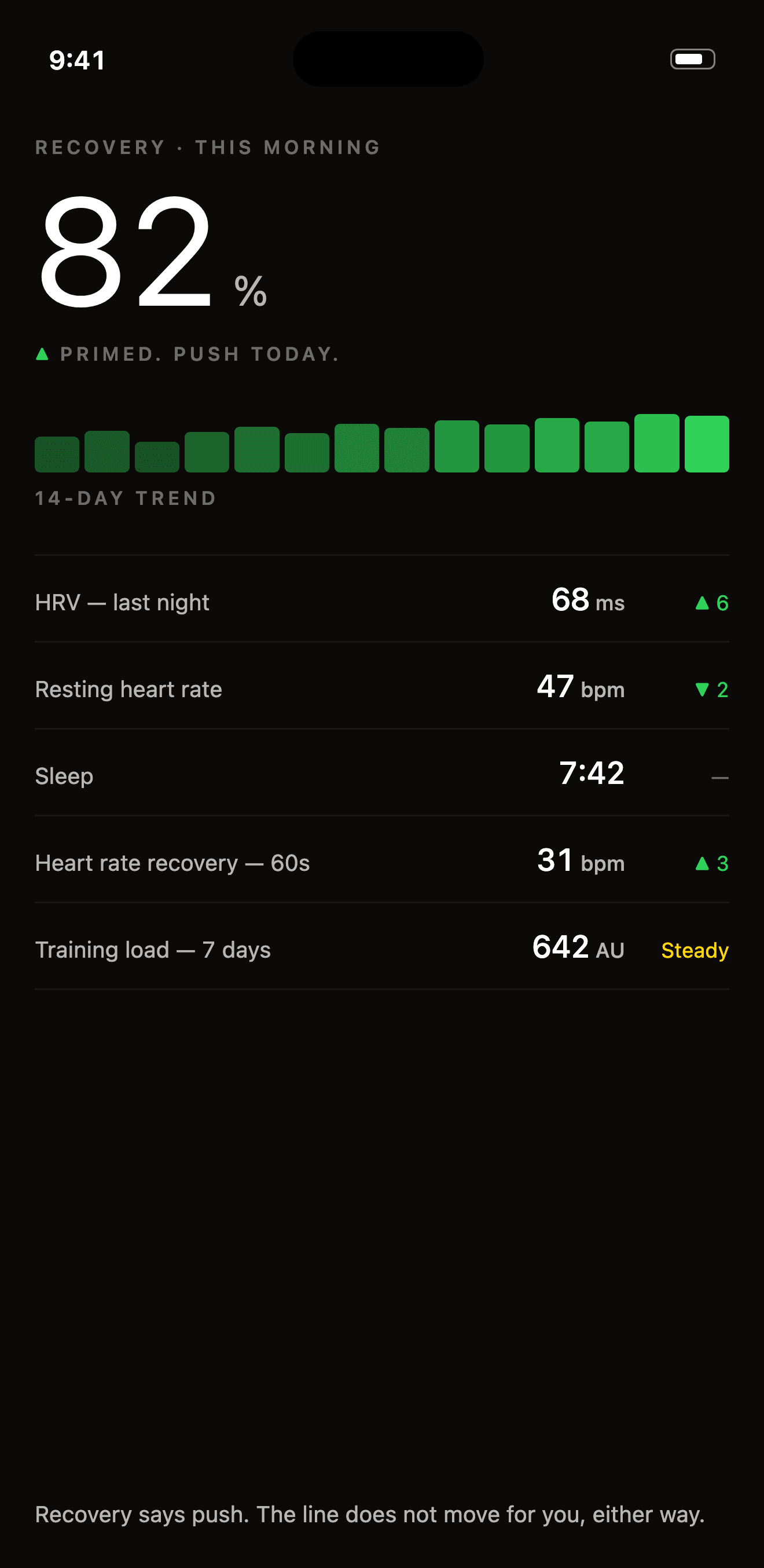
Readiness is information, not permission
A readiness number describes the body you are bringing to the session. It does not decide what that body can do. A number from last night cannot tell you how the bar will move today. The first working set can.
Use it like a coach would. A high reading is the day to chase a record. A low one is the day to warm up properly, hit your line, and see what is there. Studies that individualise training to daily HRV report fitness gains (Kiviniemi et al., 2007), and a meta-analysis found the advantage over a fixed plan is small at group level (Manresa-Rocamora et al., 2021). The work still does the work. Your data tells you how it is landing.
Want the full picture on how effort is rated? Read RIR and RPE explained, or see the programs the watch runs alongside. Want to put your own AI on your recovery and training data? Connect your AI.
Questions
What does HRV mean on Apple Watch?
Heart rate variability: how much the time between heartbeats varies. Apple Health records it as SDNN, the standard deviation of the intervals between normal heartbeats, in milliseconds. Apple Watch samples it while you are still.
What is a good HRV on Apple Watch?
There is no single good number. HRV depends on age, sex, how and when it is measured, and the person. The useful comparison is with your own recent normal, not with someone else's reading.
Does Apple Watch have a readiness score?
Apple's Readiness app is available on Apple Watch Series 12 and Apple Watch Ultra 4. It combines recent activity, overnight vitals including HRV, and sleep score into a score from 0 to 10. On other models, the Vitals app shows overnight metrics against your typical range.
Where do I find HRV on my iPhone?
Open the Health app, tap Browse, tap Heart, then tap Heart Rate Variability. Overnight vitals are under Browse, then Vitals.
Should I skip training when my HRV is low?
A low reading tells you what you are walking in with. It does not tell you what you can do. PRE SZN shows the reading against your own normal and still gives you a line to beat: your four-week average. Warm up, train, and let the sets answer the question.
Sources
- Plews DJ et al. (2013). Training adaptation and heart rate variability in elite endurance athletes: opening the door to effective monitoring. Sports Med 43(9):773–781. doi:10.1007/s40279-013-0071-8
- Shaffer F, Ginsberg JP (2017). An overview of heart rate variability metrics and norms. Front Public Health 5:258. doi:10.3389/fpubh.2017.00258
- Kiviniemi AM et al. (2007). Endurance training guided individually by daily heart rate variability measurements. Eur J Appl Physiol 101(6):743–751. doi:10.1007/s00421-007-0552-2
- Manresa-Rocamora A et al. (2021). Heart rate variability-guided training for enhancing cardiac-vagal modulation, aerobic fitness, and endurance performance: a methodological systematic review with meta-analysis. Int J Environ Res Public Health 18(19):10299. doi:10.3390/ijerph181910299
- Apple: HealthKit HRV (SDNN), Heart Rate app, Monitor your heart rate, Vitals, Sleep, Readiness app. Checked November 2026.